
The directory grows a shape nobody designed
Every Entra ID tenant grows the same way: groups get nested inside groups, licenses get assigned to groups, people inherit access through chains nobody remembers building. Circular references, abandoned groups, and runaway depth accumulate silently, because nothing in the native tooling flags them.
Then a ticket arrives
"Why does this user have an E5 license?" The Azure portal shows flat lists, so the answer lives in PowerShell scripts, exported CSVs, and institutional memory. When someone asks "what happens if I move this group?", the honest answer is that you find out who lost access when the next tickets arrive.
Consent
A global admin opens a standard Entra admin-consent link and grants exactly three Microsoft Graph permissions, all read-only. No agents, nothing installed, nothing modified. This is everything the platform will ever ask for:
| Permission | Used for |
|---|---|
| Group.Read.All | Groups, nesting, memberships, and group license assignments |
| User.Read.All | Users and their license assignments |
| Organization.Read.All | Tenant-level subscription and SKU information |
Sync
VisualizerEngine crawls the directory once and builds a per-tenant mirror. From then on, Microsoft Graph change tracking keeps it current, including the correct handling of deletions. Everything you explore runs against the mirror at interactive speed, never against your live directory.
See
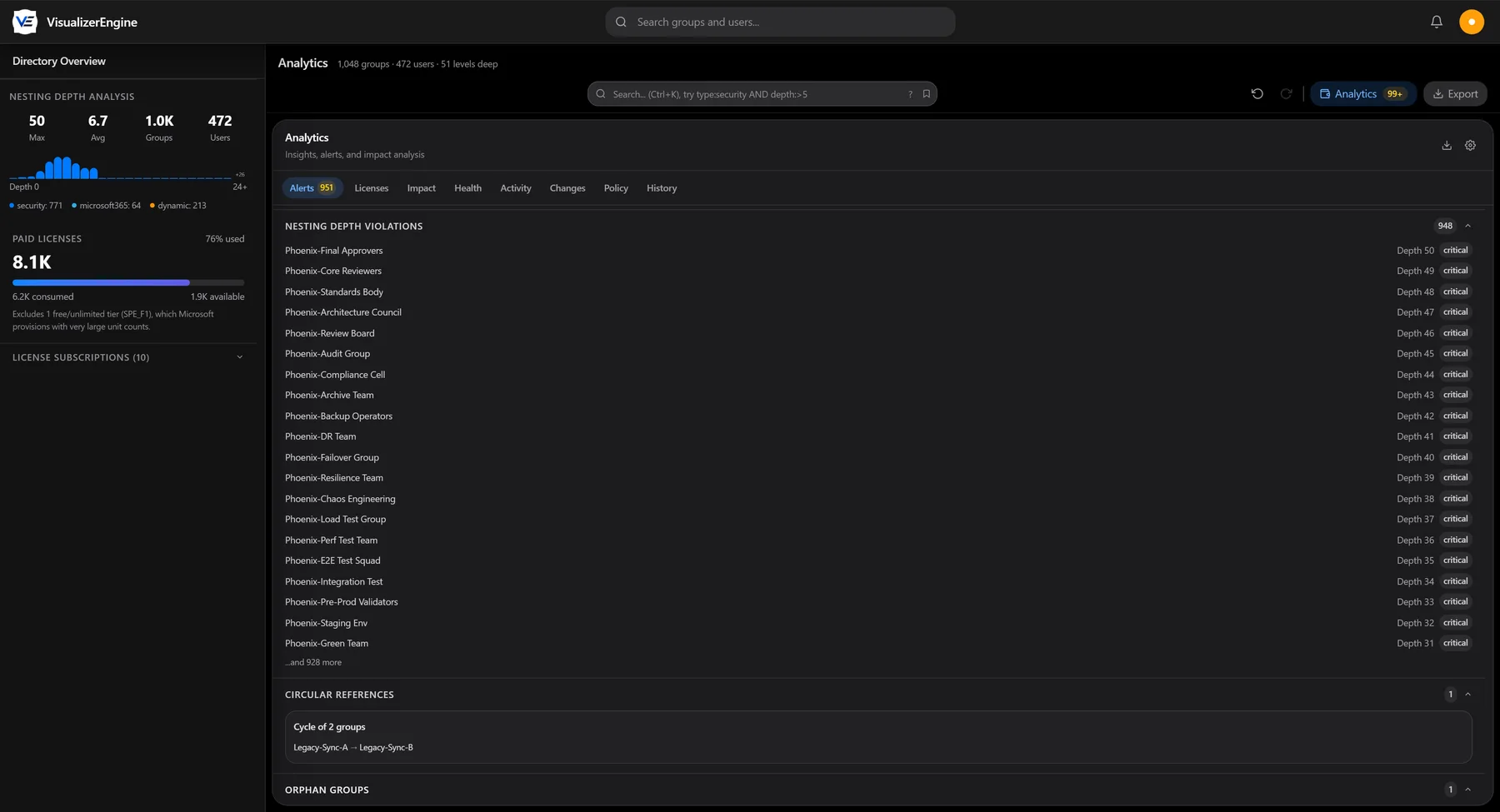
The full nesting map is live in your browser. Circular references surface, every license shows its real source, direct assignment or granting group, and depth violations rank against the thresholds you set. Users sign in with Entra ID single sign-on, and Viewer, Analyst, Admin, and Auditor roles are enforced server-side.
The directory stops surprising you
Changes are simulated before they happen, with the full blast radius visible. Policies score compliance as a trend you watch. Snapshots prove exactly what changed between any two points in time. Alerts arrive when the structure moves. The directory stops changing behind your back.