
Get the whole picture.
Six stops, from the whole tenant down to a single simulated change. Every screen below is an actual product screenshot, taken on a generated demo directory.
Tour stops
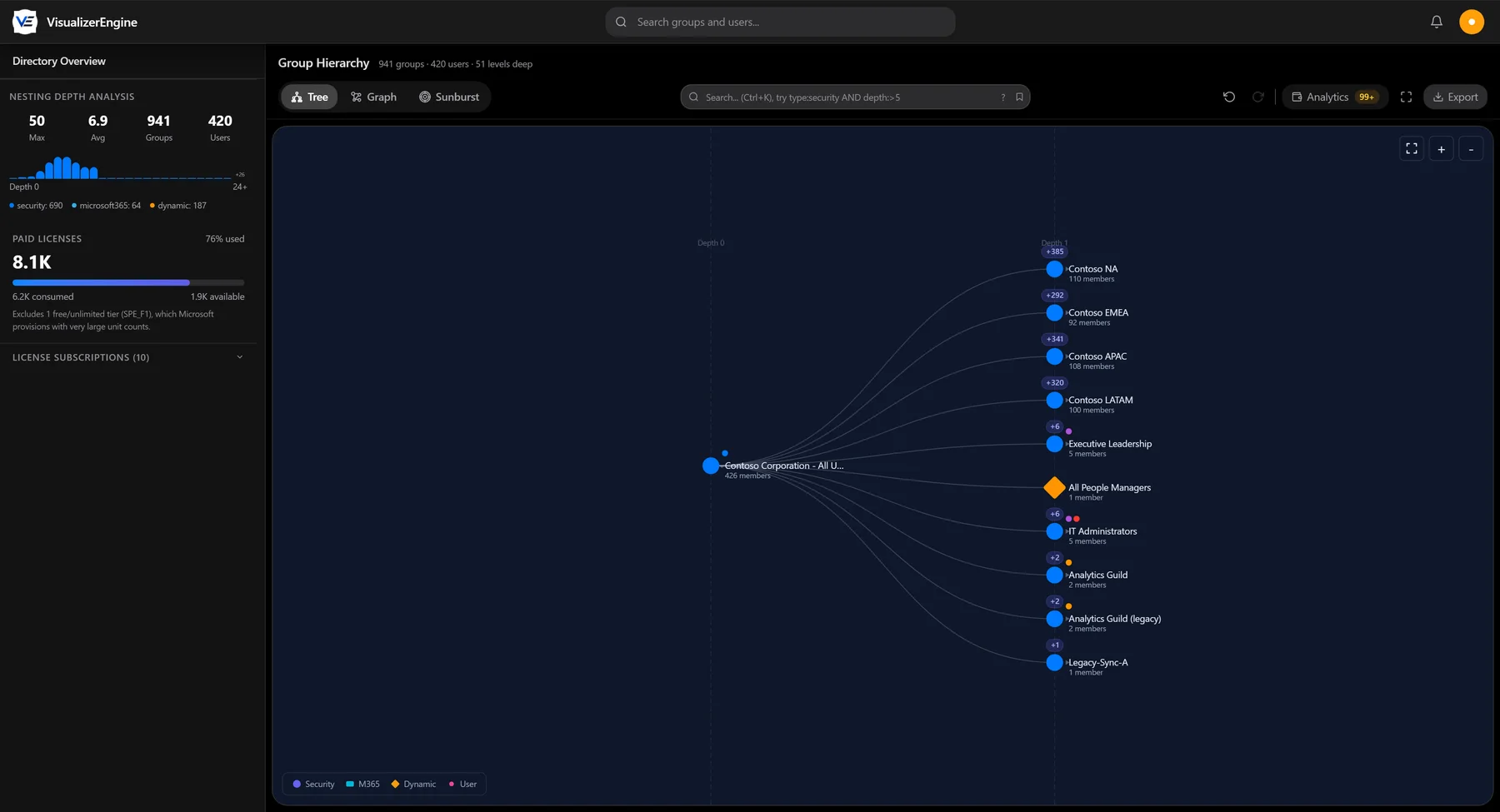
Start with the whole tenant. The hierarchy explorer lays out nesting as a tree, with member counts on every group, badges showing how many descendants each branch holds, and the depth histogram and license usage alongside.
Stop 1 of 6
See how everything connects.
Request early access to VisualizerEngine. Read-only onboarding, with no agents to install and no changes to your directory.